Quick Take
Choosing a keyboard starts with what you need to connect: a laptop in need of a replacement keyboard, a desk with multiple workstations, or a wireless setup where comfort matters. These four computer peripherals span roughly $20 to $45 and break into three different jobs. A Dell-compatible replacement keyboard targets laptop repair; an HP & Dell wired lot of three covers several desks at once; and two Logitech K350 Wave keyboards offer the same ergonomic wave shape with different layouts and receiver options. The decision is less about budget and more about matching the keyboard to the task.
Listed Price Comparison
| Product | Listed Price | Price Bar | Key Detail |
|---|---|---|---|
| Dell Inspiron 15/17 Replacement Keyboard | USD 20.99 | Designed for specific Dell Inspiron models; no backlighting | |
| HP & Dell Wired USB Keyboards (Lot of 3) | USD 32.95 | Three full-size wired QWERTY keyboards with numeric pads | |
| Logitech K350 Comfort Wave Wireless Keyboard with USB dongle | USD 44.99 | Ergonomic wave, quiet keys, palm rest, Unifying receiver | |
| Logitech K350 Wireless Wave Keyboard Y-R0053 French Canadian (No Dongle) | USD 19.99 | Wave design, French Canadian layout, keyboard only |
Decision Matrix
| If you need... | Choose... |
|---|---|
| A replacement keyboard for a Dell Inspiron 15/17 laptop | Dell Inspiron 15/17 Replacement Keyboard |
| To equip multiple desks with full-size wired keyboards | HP & Dell Wired USB Keyboards (Lot of 3) |
| A wireless ergonomic keyboard with its USB dongle | Logitech K350 Comfort Wave Wireless Keyboard with USB dongle |
| A lower-price ergonomic wave keyboard and can supply your own receiver | Logitech K350 Wireless Wave Keyboard Y-R0053 French Canadian (No Dongle) |
Product Notes
Dell Inspiron 15/17 Replacement Keyboard
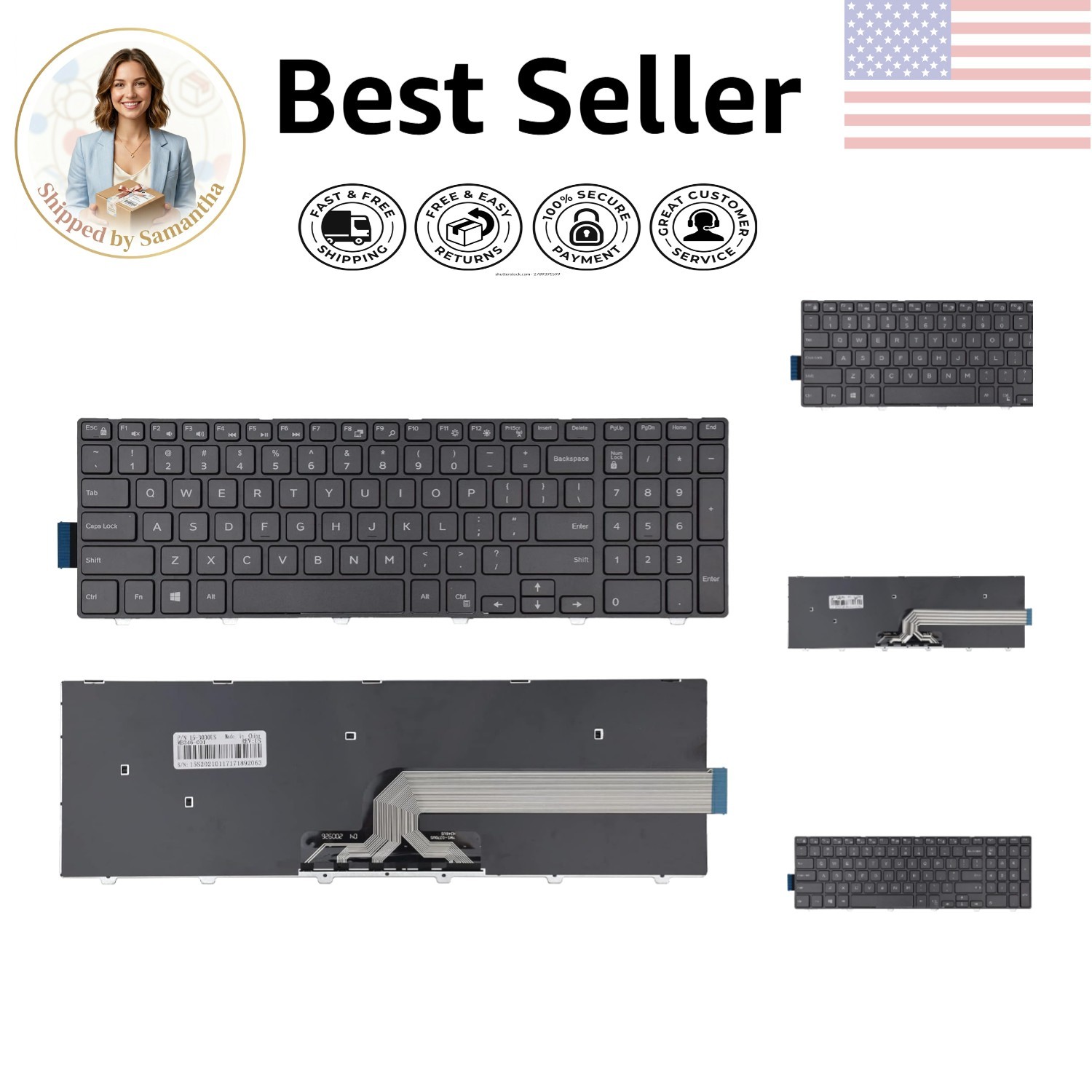
This replacement keyboard is built for a range of Dell Inspiron 15- and 17-inch laptops, including 3000, 5000, and 7000 series models, plus some Latitude and Vostro laptops. Its black frame is described as durable, and it's designed for easy installation. At USD 20.99, it's an inexpensive way to repair a worn laptop keyboard without buying a new computer. One clear limitation: the product does not include backlighting. If you often type in dim rooms, you'll want a separate light or a keyboard with built-in backlighting.
HP & Dell Wired USB Keyboards (Lot of 3)
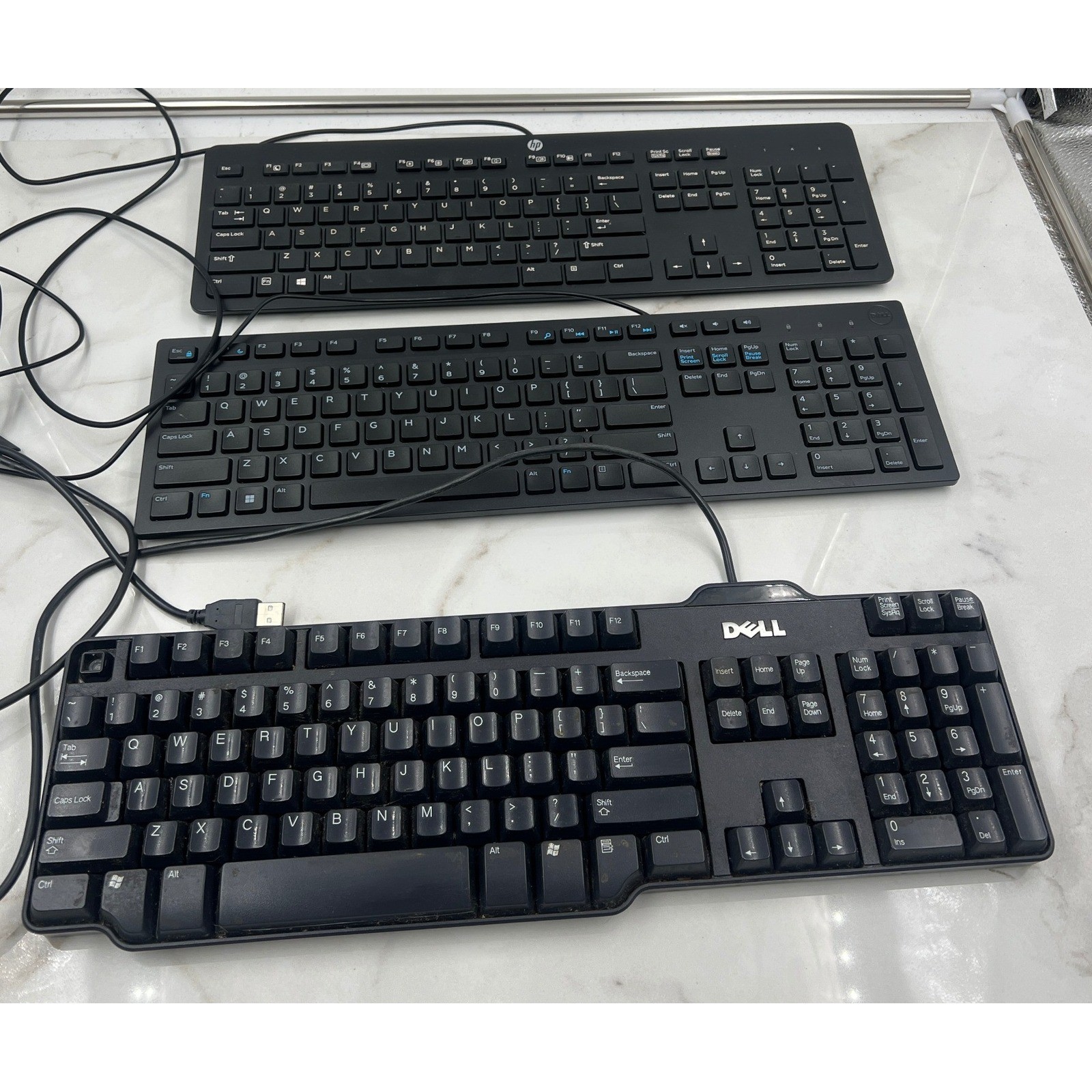
This bundle gives you three full-size QWERTY keyboards: an HP SK-2120, a Dell KB216, and a classic Dell SK-8115. All three are wired USB, black, and plug-and-play with multimedia integration, so you get working input devices without pairing or charging. The numeric keypads on each make data entry straightforward. At USD 32.95, this three-keyboard bundle is a straightforward workstation solution. The trade-off is that all three are used and identical in color and style; these are wired-only keyboards, and if you only need one keyboard, you're buying three. This is really a workstation-bundle play.
Logitech K350 Comfort Wave Wireless Keyboard with USB Dongle
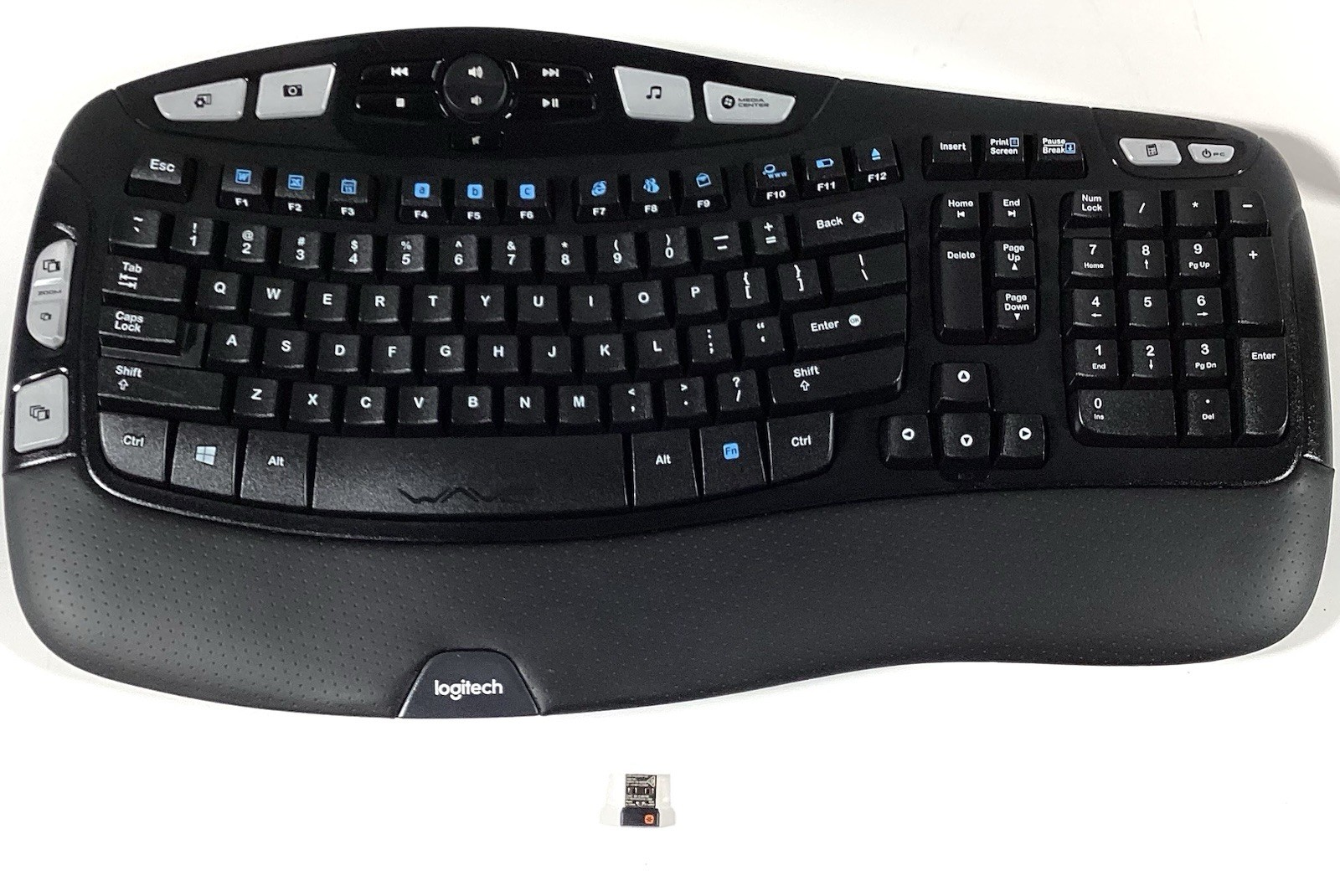
At USD 44.99, this Logitech K350 is the highest price in the group, but it's also the only option here that includes a Unifying USB receiver. The wave-shaped frame, palm rest, quiet keys, enhanced function keys, and multimedia integration make it a comfortable wireless choice for long typing sessions. This used unit is in tested excellent condition and uses an English QWERTY layout. The limitation is the price: it costs $25 more than the lowest-priced keyboard in this comparison. If you need that included receiver and an English layout, this is the most complete wireless package; if you need to spend less, you can get the wave shape for less, but without the dongle.
Logitech K350 Wireless Wave Keyboard Y-R0053 French Canadian (No Dongle)
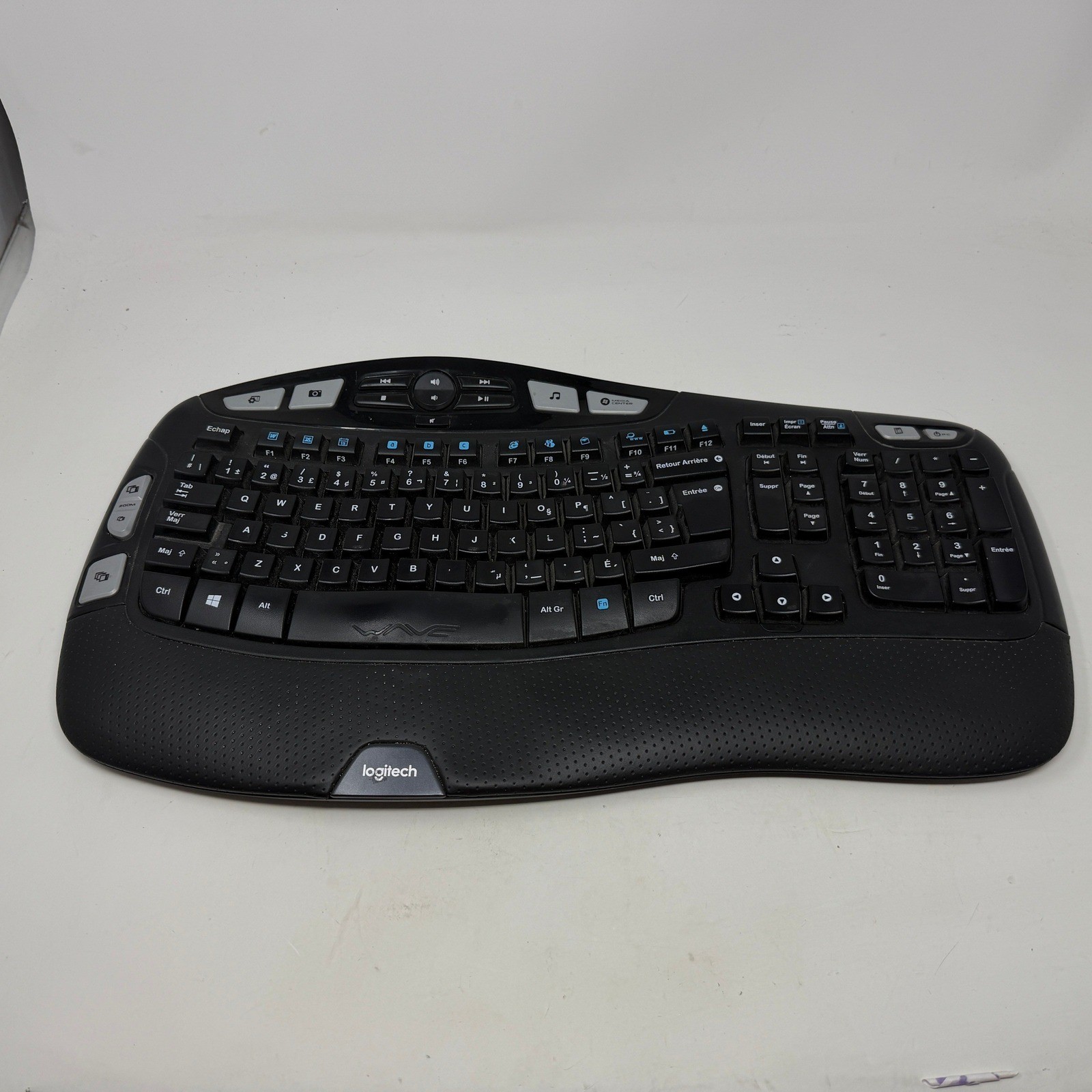
This is the same K350 wave design as the pricier Logitech model, with a cushioned palm rest, full number pad, dedicated media controls, programmable F-keys, and adjustable tilt legs at 4 and 8 degrees. At USD 19.99, it's the lowest price in this comparison. The catch: this is a French Canadian layout keyboard, and this version includes only the keyboard itself-no USB receiver and no batteries. If you can supply your own receiver and batteries, this is the least expensive route to the ergonomic wave shape. If not, you'll need to factor in the cost of a receiver and batteries before it becomes usable.
Final Recommendation by Use Case
If you're repairing a Dell Inspiron 15/17 laptop, go with the Dell-compatible replacement. If you need to equip several desks at once, pick the HP & Dell three-pack. If you want a wireless ergonomic keyboard with an included receiver, the Logitech K350 with dongle is the complete package. If you already have a receiver and want the lower-price wave shape, the no-dongle French Canadian K350 is the route to take.